3D Brick Fauna Mugs: A Practical Guide to Sublimation Success
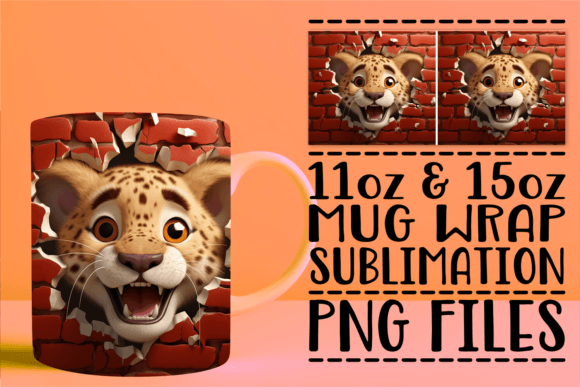
The intersection of rustic texture and natural wildlife themes has created a significant demand for unique drinkware, making 3D Brick Fauna Mugs a standout choice for creators and small business owners. These designs offer more than just a flat image; they simulate depth and tactile interest through high-resolution visual layering. For entrepreneurs and hobbyists in the sublimation space, this aesthetic bridges the gap between novelty and sophisticated home decor. However, the appeal of these digital assets extends beyond their visual charm. They represent a specific technical challenge that separates casual crafters from professional makers. Understanding how to leverage these files effectively requires more than just artistic appreciation; it demands a solid grasp of sublimation mechanics and file management.
While the end result is a stunning, textured-looking mug, the journey from digital download to physical product is where many enthusiasts encounter friction. The market is saturated with generic templates, but specialized designs like brick fauna require precise execution. Before adding these assets to your library or attempting your first press, it is vital to recognize the common pitfalls that can compromise print quality, waste expensive blanks, and lead to customer dissatisfaction. By addressing these issues proactively, you ensure that your investment in digital design translates into tangible value.
Verifying Technical Readiness Before Purchase
One of the most frequent and costly mistakes in the digital design marketplace is purchasing files without confirming equipment compatibility. It is essential to understand that 3D Brick Fauna Mugs are digital assets intended for sublimation printing, not physical products shipped to your door. A surprising number of beginners assume these listings include the ceramic mug itself or pre-printed transfers. This misunderstanding leads to immediate disappointment and unnecessary support tickets.
Furthermore, possessing the file does not equate to possessing the capability to use it. Sublimation is a chemical process requiring specific hardware: a sublimation printer, sublimation ink, heat-resistant tape, and a mug press capable of reaching consistent temperatures. Standard inkjet printers and office paper cannot utilize these PNG files. If you are new to this medium, please pause before purchasing. Ensure you have the required software (such as Photoshop, GIMP, or specialized RIP software) and equipment at your disposal. Support for these digital products is exclusively available for addressing issues specifically related to the files themselves, such as corruption or resolution errors, rather than providing guidance on sublimation processes or printer troubleshooting. Confirming your setup beforehand protects both your budget and your creative momentum.
Understanding Resolution and Sizing Constraints
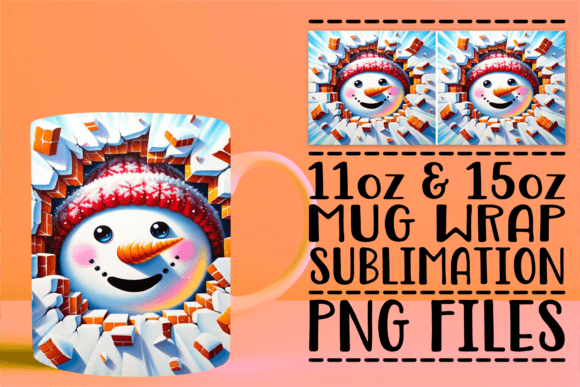
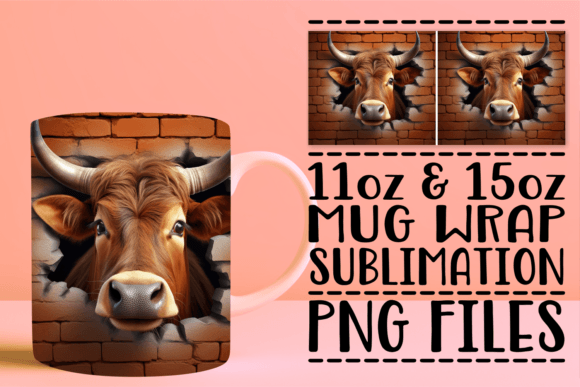
Even experienced designers sometimes overlook the critical relationship between DPI (dots per inch) and physical print size. These templates are provided as high-resolution, 300 DPI PNG files optimized for 11oz and 15oz sublimation mug wraps. A common error occurs when users attempt to stretch these files beyond their intended dimensions or use them for unrelated projects like large tumblers or blankets without checking pixel density.
When a 300 DPI image is enlarged significantly, the effective resolution drops, resulting in pixelation or blurriness after heat transfer. The "brick" texture in fauna designs relies on sharp contrast to create the illusion of three-dimensional depth. If the resolution degrades, the texture flattens, and the premium look is lost. Always verify the pixel dimensions against your target substrate before printing. Conversely, shrinking these high-quality files is safe, but upscaling requires specialized AI upscaling tools or vectorization techniques that may alter the original artistic intent. Stick to the included sizes for guaranteed fidelity.
Navigating Color Profiles and Monitor Calibration
Sublimation color management is notoriously tricky, and complex designs featuring organic tones like brick reds, moss greens, and animal furs are particularly sensitive to profile mismatches. Many creators blame the file when colors appear dull or shifted, when the issue actually lies in uncalibrated monitors or incorrect ICC profiles. What you see on an RGB screen will never perfectly match CMYK sublimation output without proper translation.
To avoid wasting materials on test prints:
- Use Manufacturer Profiles: Always install and select the specific ICC profile designed for your exact combination of printer, ink brand, and paper type. Generic profiles often fail to render the subtle shading in 3D-style artwork.
- Print Test Strips: Before committing to a full mug wrap, print a small section of the brick texture and fauna element. Press it onto a spare mug or test tile to evaluate color accuracy under actual heat conditions.
- Account for Heat Shift: Sublimation inks look muted on paper but vibrant after heating. Do not adjust saturation based solely on the unpressed paper appearance.
Ignoring these steps can turn a rich, dimensional forest scene into a muddy, flat graphic. Taking ten minutes to calibrate saves hours of rework and preserves your profit margins.
Optimizing Alignment for Seamless Wraps
The "3D" effect in these mugs is largely achieved through seamless pattern repetition and strategic placement. A misaligned seam destroys the illusion of continuous brickwork or wrapping foliage. Beginners often treat the PNG template as a static background rather than a precision map. When applying the transfer to the mug, even a millimeter of slippage can create a visible vertical line where the design meets itself.
Better approaches involve using alignment guides during the pressing phase. Center the design carefully using the mug’s handle as a reference point, ensuring the seam falls directly behind the handle or in a designated "blind spot" if the design allows. Additionally, because these files are optimized for specific mug sizes, using an 11oz design on a 15oz mug (or vice versa) will result in either white gaps or overlapping distortion. Double-check that you are loading the correct PNG variant for your blank. The included downloads contain distinct files for each size; mixing them up is a preventable error that compromises the professional finish your customers expect.
Evaluating File Integrity and Support Boundaries
Digital downloads occasionally suffer from transfer errors, zip extraction failures, or browser-related corruption. While rare, these technical hiccups can mimic user error. Distinguish between a broken file and a skill gap. If the PNG opens correctly in multiple programs, displays proper dimensions, and shows no artifacts at 100% zoom, the file is likely intact. Issues arising during printing, pressing, or color reproduction typically fall outside file-specific support.
However, should you encounter genuine challenges with the download itself—such as missing layers, incorrect sizing metadata, or file corruption—please don’t hesitate to get in touch. Dedicated support is happily provided to resolve asset-related problems quickly. Being able to accurately describe the issue (e.g., "The 15oz PNG shows 72 DPI in properties" vs. "The green looks brown after pressing") helps streamline assistance and gets you back to creating faster.
Ultimately, 3D Brick Fauna Mugs offer a fantastic opportunity to elevate your sublimation catalog with nature-inspired sophistication. By respecting the technical requirements, verifying your equipment readiness, and approaching color and alignment with discipline, you transform a simple digital purchase into a reliable revenue stream. Thank you for your purchase, and I hope you have an amazing experience bringing these designs to life.